
Descripción
Create advanced Elementor sticky headers with scroll effects: blur, shrink, hide on scroll, plus full responsive controls in Elementor Free or Pro.
Sticky Header Effects for Elementor: Build Smart, Responsive Sticky Headers
Sticky headers (also called fixed or floating headers) are essential for improving navigation, branding visibility, and user experience on any modern website. With the Sticky Header Effects for Elementor plugin, you can now build sleek, customizable sticky headers that respond to user scroll behavior, all with Elementor Free or Pro.
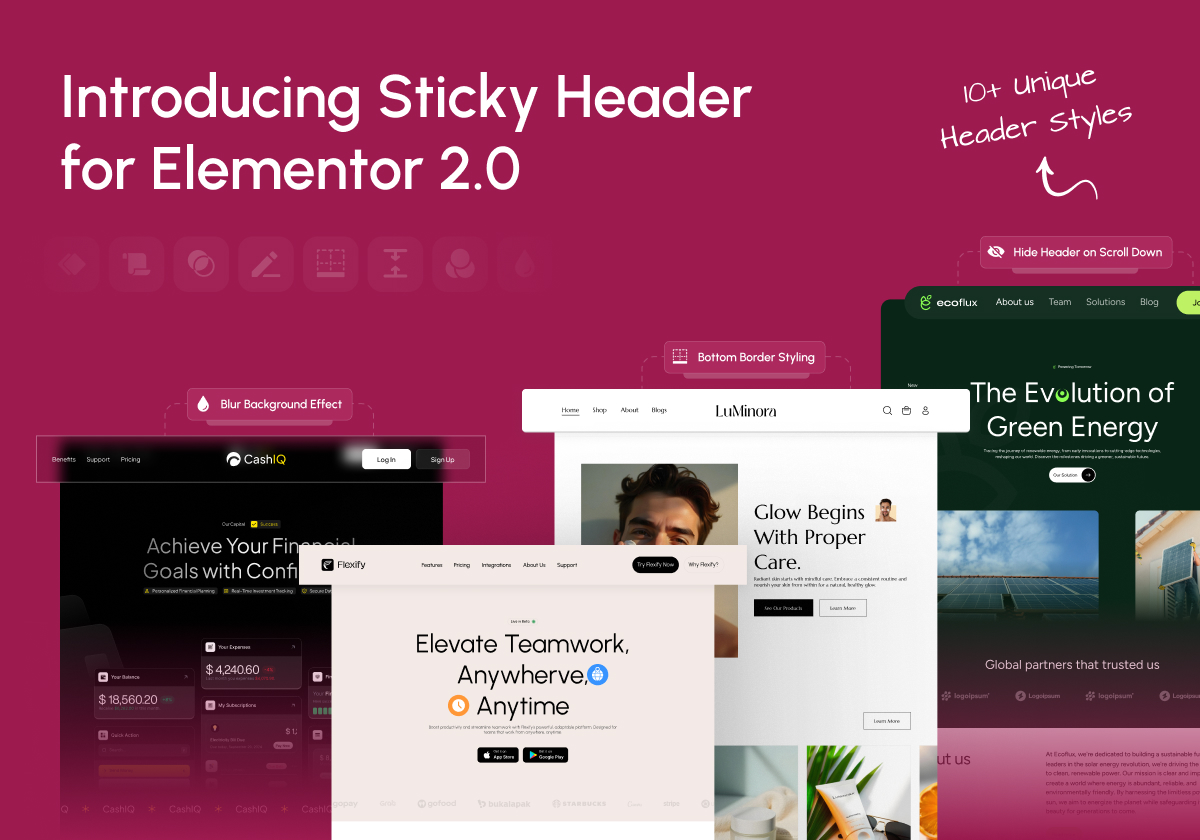
From transparent overlays to animated shrinking effects, dynamic background changes, and blur visuals. This plugin gives you 10+ scroll-based effects that help your header adapt beautifully to your page design.
This plugin is perfect for developers, designers, bloggers, and agencies who want more control over header behavior without writing a single line of code.
🌐 Visit Website| 🖼️ Sticky Header Templates Demos | 📹 Video Tutorials | 📑 Documentations | 👥 Join Community | 🤝 Free Support | 🚀 Get Pro
🚀 New: Sticky Header Effects for Elementor Pro
Need more control? The Sticky Header Effects for Elementor Pro add-on adds 11 advanced scroll effects on top of this free plugin (see the full list below). Learn more about Pro. (This is a separate plugin)
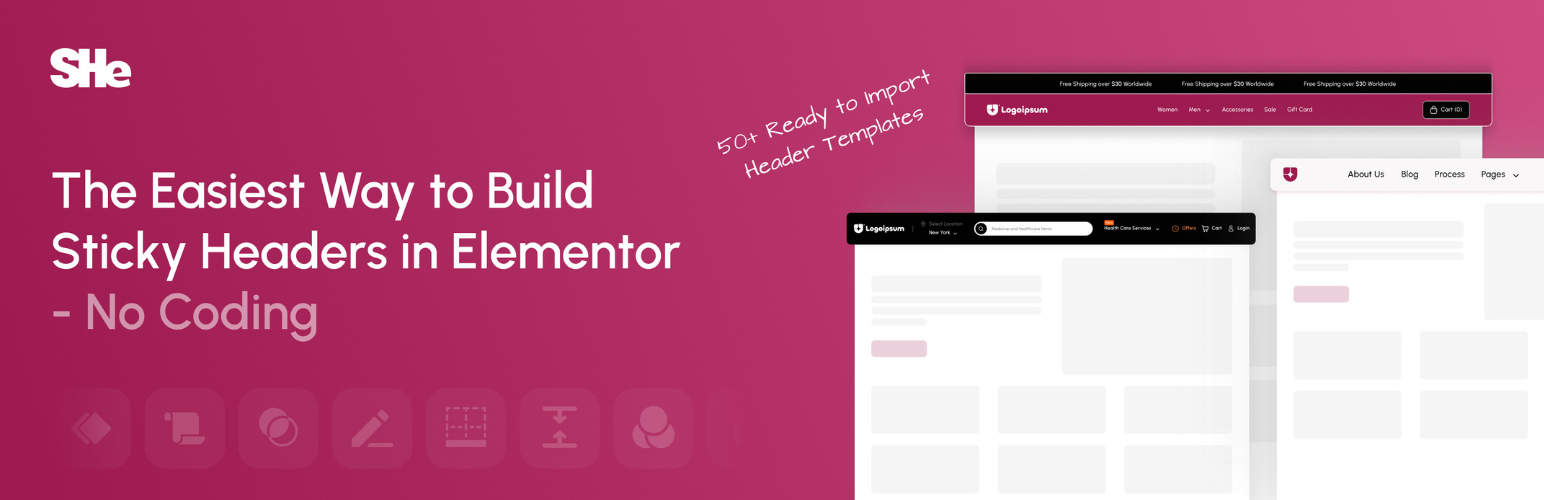
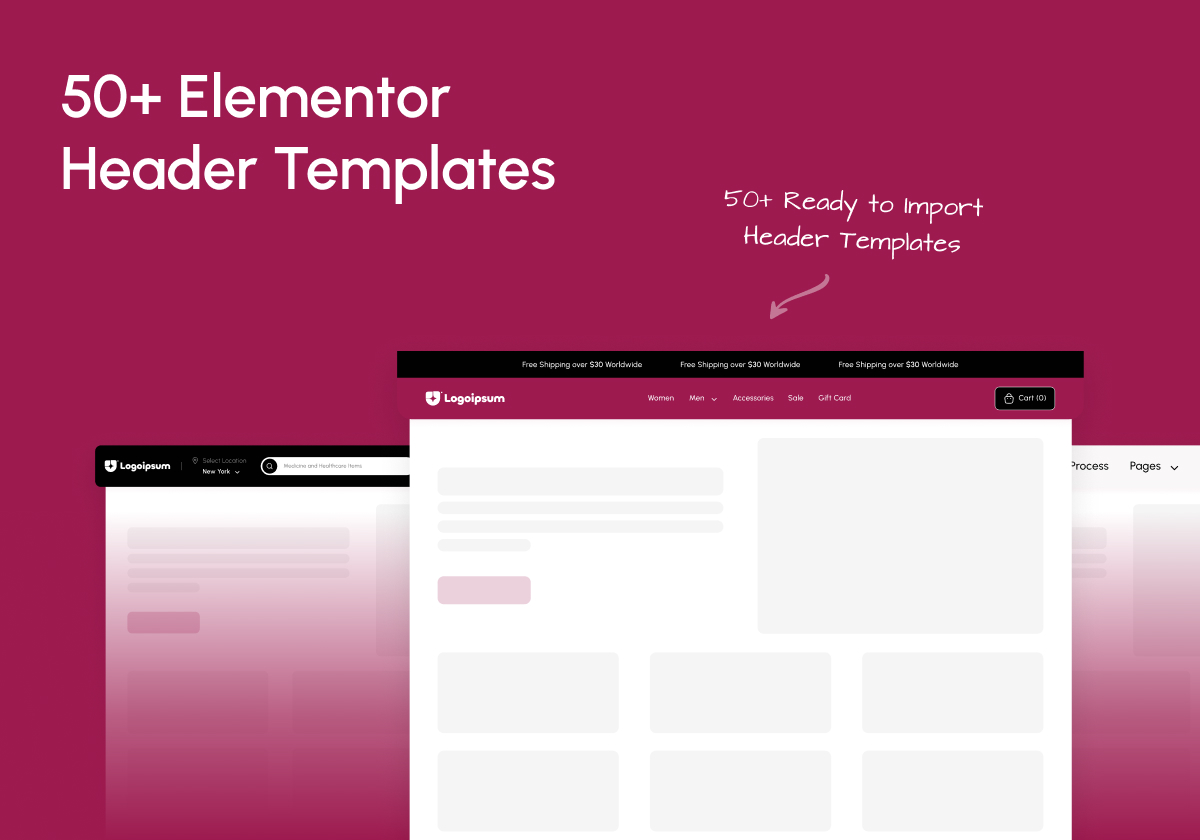
🔥 Comes With 50+ Ready To Import Templates For Elementor Headers With Sticky Header
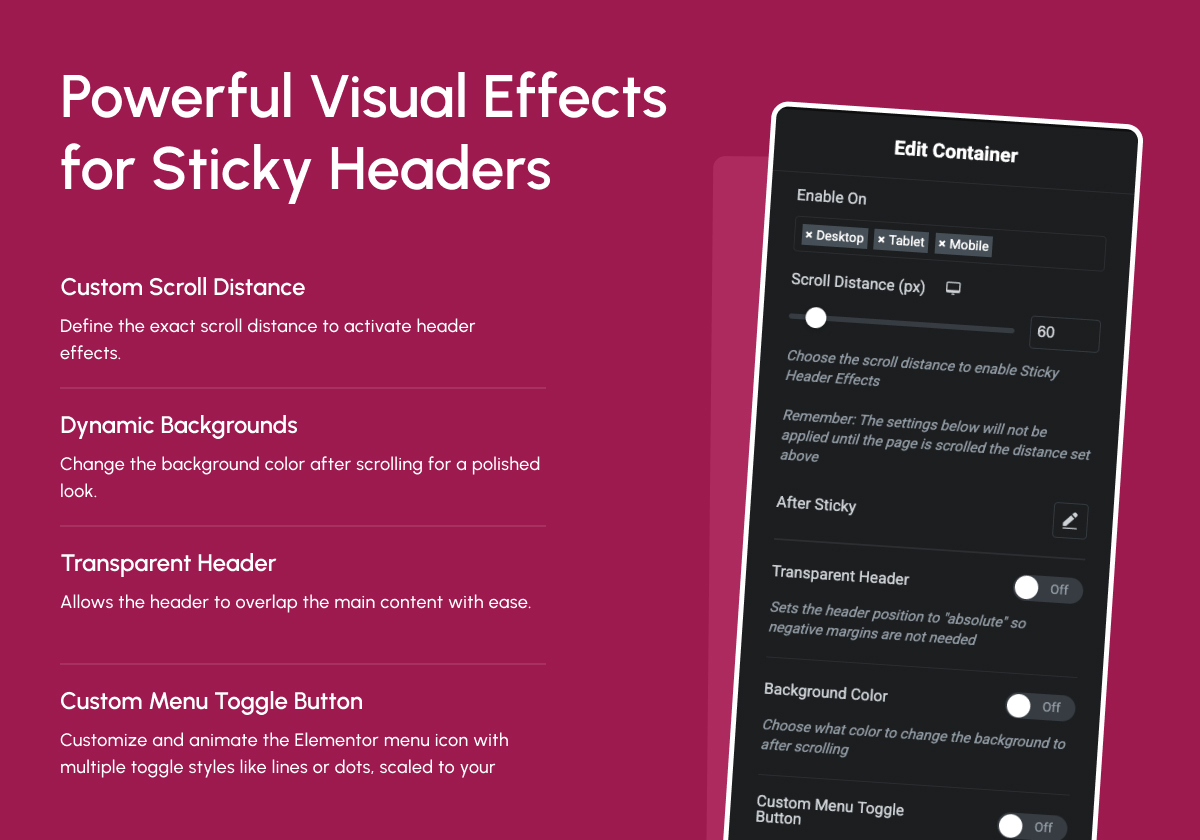
👑 10+ Powerful Elementor Sticky Header Effects
1. Header Scroll Distance Effect
Set Scroll Trigger Threshold
Define how far the user scrolls before sticky effects activate. Perfect for precise control over header behavior.
👉 Live Demo
2. Transparent Header Background Effect
Overlay with Elegance
Allow your header to overlay your hero or banner sections with full transparency. Ideal for modern homepage designs.
👉 Live Demo
3. Dynamic Background Color Change
Auto Background Switching
Change your header’s background color on scroll to match different sections or maintain contrast.
👉 Live Demo
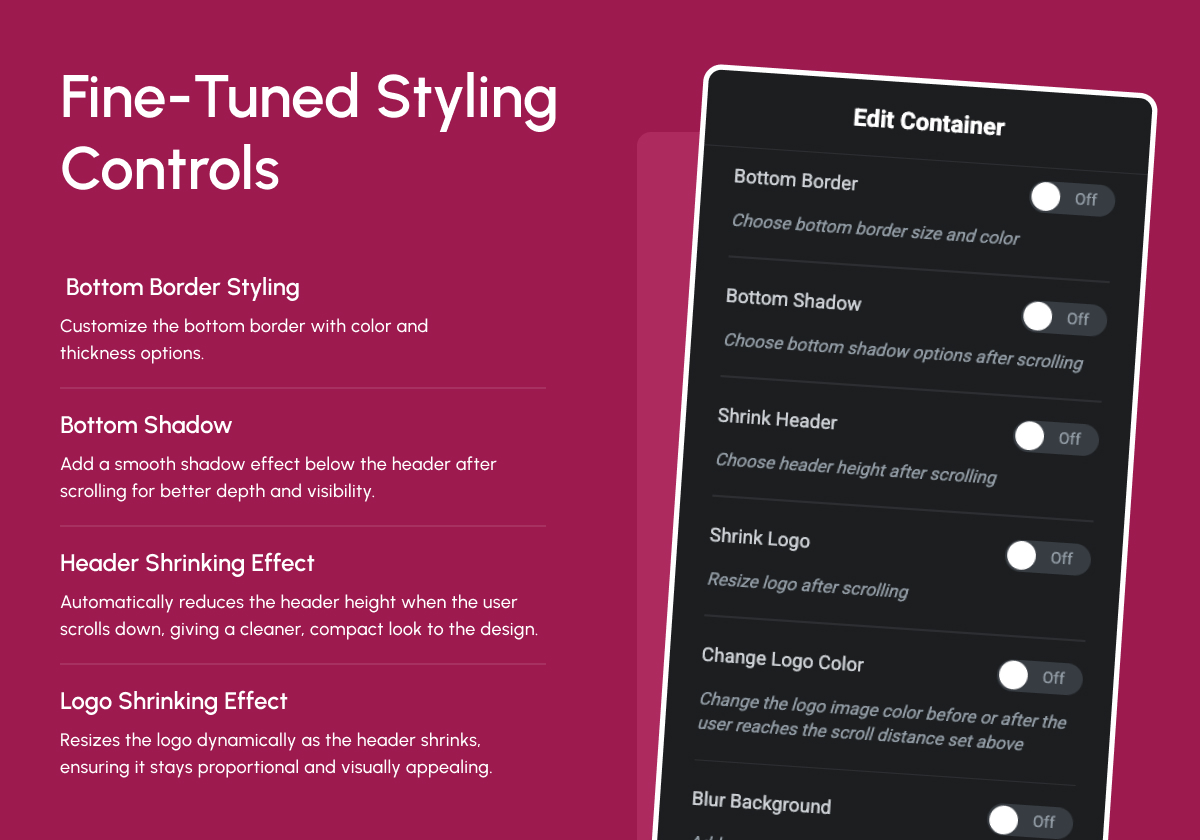
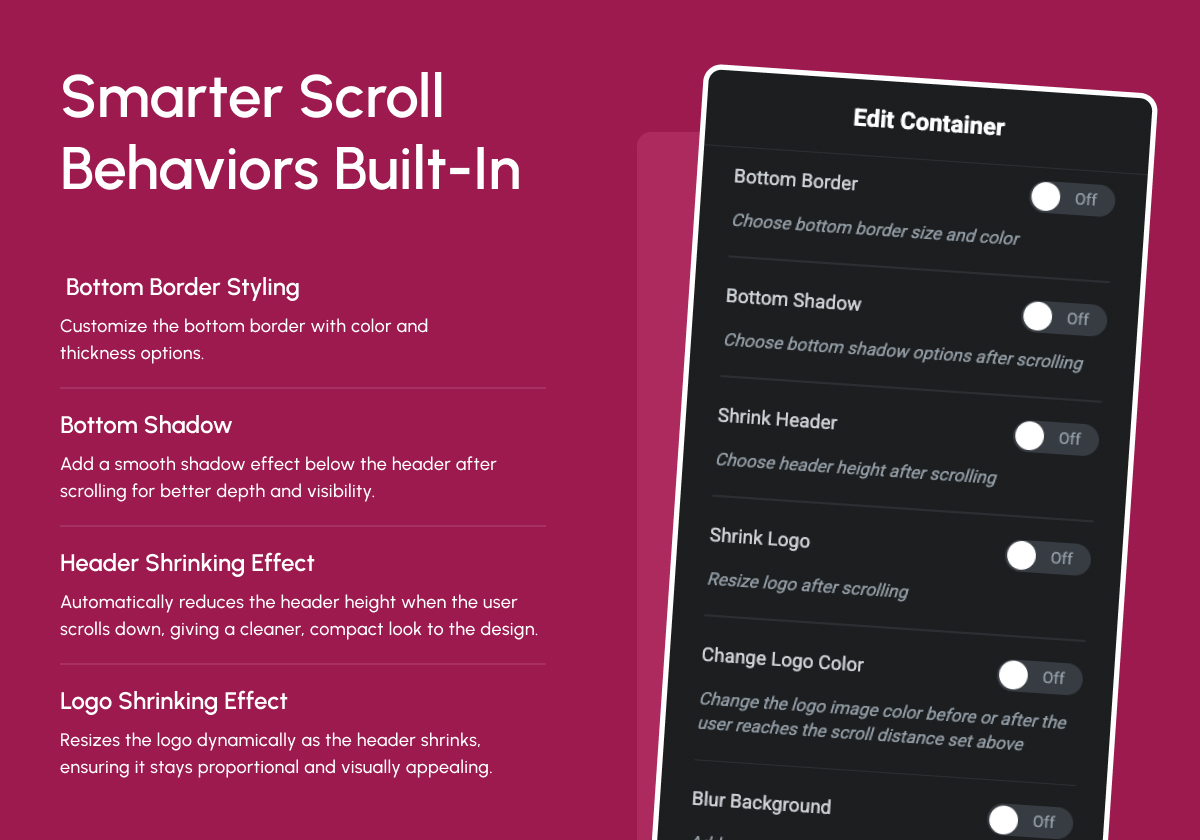
4. Bottom Border Styling Effect
Subtle Section Separation
Add customizable borders below your sticky header for better definition and clean design.
👉 Live Demo
5. Header Shrinking Effect
Reduce Header Height Dynamically
Shrink the entire header after scrolling to save space and focus attention on the page content.
👉 Live Demo
6. Logo Shrinking Effect
Responsive Logo Transition
Shrink the logo proportionally during scroll, maintaining visual balance and brand presence.
👉 Live Demo
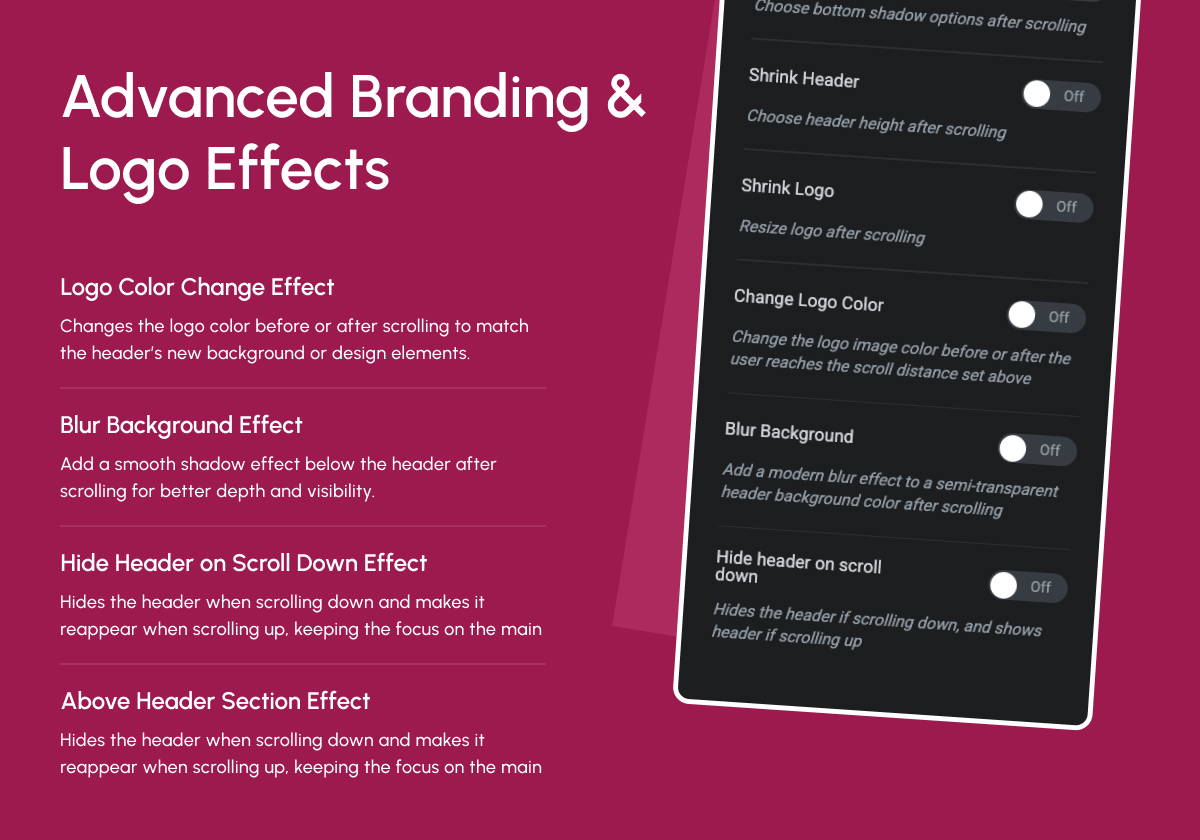
7. Logo Color Change Effect
Switch Logo Color for Better Contrast
Automatically switch to a contrasting logo color on scroll based on background or user behavior.
👉 Live Demo
8. Blur Background Effect
Add Modern Blur Transition
Enhance the visual flow by applying a subtle blur effect to the background of your sticky header.
👉 Live Demo
9. Hide Header on Scroll Down Effect
Hide & Reappear on Scroll
Auto-hide the header when scrolling down and show it again on scroll up. Great for content-heavy pages.
👉 Live Demo
10. Above Header Section Effect
Sync Above Sections Cleanly
Align your sticky effects with sections above the main header for unified motion and cleaner transitions.
👉 Live Demo
👑 Sticky Header Effects PRO: 11 Advanced Scroll Effects
Want more control? Sticky Header Effects for Elementor Pro is a separate add-on that builds on top of this free plugin. It adds 11 advanced, scroll-based header features:
1. Display Conditions (PRO)
Show or hide the sticky header on specific pages, posts, taxonomies, roles, login state, URLs and more.
👉 Live Demo
2. Sticky Until (Boundary Control) (PRO)
Release the sticky at a container, page end, custom element, or scroll distance.
👉 Live Demo
3. Reveal / Entrance Animations (PRO)
9 entrance effects (slide, fade, zoom, flip) when the header becomes sticky, with duration, easing and delay.
👉 Live Demo
4. Header Replace on Scroll (PRO)
Show a completely different header look when sticky, built from a normal and a sticky version in one header (no second template).
👉 Live Demo
5. Logo Image Swap (PRO)
Swap to a different logo image (with retina @2x) when the header becomes sticky.
👉 Live Demo
6. Sticky Menu Styling (PRO)
Restyle nav menu colors, typography and spacing only while sticky (Elementor, Mega Menu, WordPress Menu & TPAE Nav Menu).
👉 Live Demo
7. Extended Backdrop Filters (PRO)
Add grayscale, brightness, contrast and hue-rotate on top of the free blur backdrop.
👉 Live Demo
8. Background Image on Sticky (PRO)
Show a background image only while the header is sticky, with full position, size, repeat and attachment controls.
👉 Live Demo
9. Header Opacity Transition (PRO)
Smoothly fade the header opacity between its normal and sticky states.
👉 Live Demo
10. Logo Styling on Sticky (PRO)
Add padding, border, radius and box-shadow to the logo only while sticky, with a smooth transition.
👉 Live Demo
11. Multi-Sticky Coordination (PRO)
Coordinate up to five sticky sections on one page in Stack or Sequential modes, with priority ordering.
👉 Live Demo
👉 Get Sticky Header Effects Pro, backed by a 60-day money-back guarantee.
🔍 Check Our Other Products
🥇 The Plus Addons for Elementor – Get 120+ unique Elementor widgets, Elementor templates, and more.
🥇 Nexter Blocks – Nexter Theme works in sync with core Gutenberg. Add 90+ powerful, highly customizable blocks.
🥇 NexterWP Theme – Best & Lightest Starter Theme for WordPress & Elementor.
🥇 Nexter Extension – Power up your WordPress website with 20+ extensions for layout, performance, security & more.
🥇 UiChemy – Figma to Elementor Converter – Convert your Figma Templates into live Elementor websites using our Free Figma Plugin.
🥇 WDesignKit – 1000+ Templates, Elementor & Gutenberg Widget Builder, Cloud Storage, Widget to Block Converter & More.
🥇 SproutOS – A modern WordPress plugin that helps site owners, agencies and developers work faster with AI-powered tools, automation and workflow controls.
External services
Sticky Header Effects for Elementor may connect to the external services below only when the related feature is enabled:
-
api.posimyth.com — usage analytics. Off by default; submitting the deactivation feedback form also sends it, plus your admin email if you tick the contact box. Terms · Privacy · what’s shared
-
stickyheadereffects.com, posimyth.com — header template and preset listings, requested by the plugin’s dashboard on your behalf. Terms · Privacy
-
store.posimyth.com — newsletter opt-in, only when you submit the Get Updates or dashboard subscribe form. Sends the email address you type, plus the name if you use the dashboard box. Terms · Privacy
-
wdesignkit.com — ready-made header presets and preview images, delivered through the free WDesignKit companion plugin. Terms · Privacy
-
downloads.wordpress.org — Rollback Manager downloads of a previous plugin version from the WordPress.org plugin directory, only when you start a rollback. Privacy
Capturas
Instalación
☑️ How to Install Sticky Header Effects for Elementor in 3 Easy Steps
- Make sure Elementor (Free or Pro) is installed and activated.
- Install the Sticky Header Effects for Elementor plugin from the WordPress plugin repository.
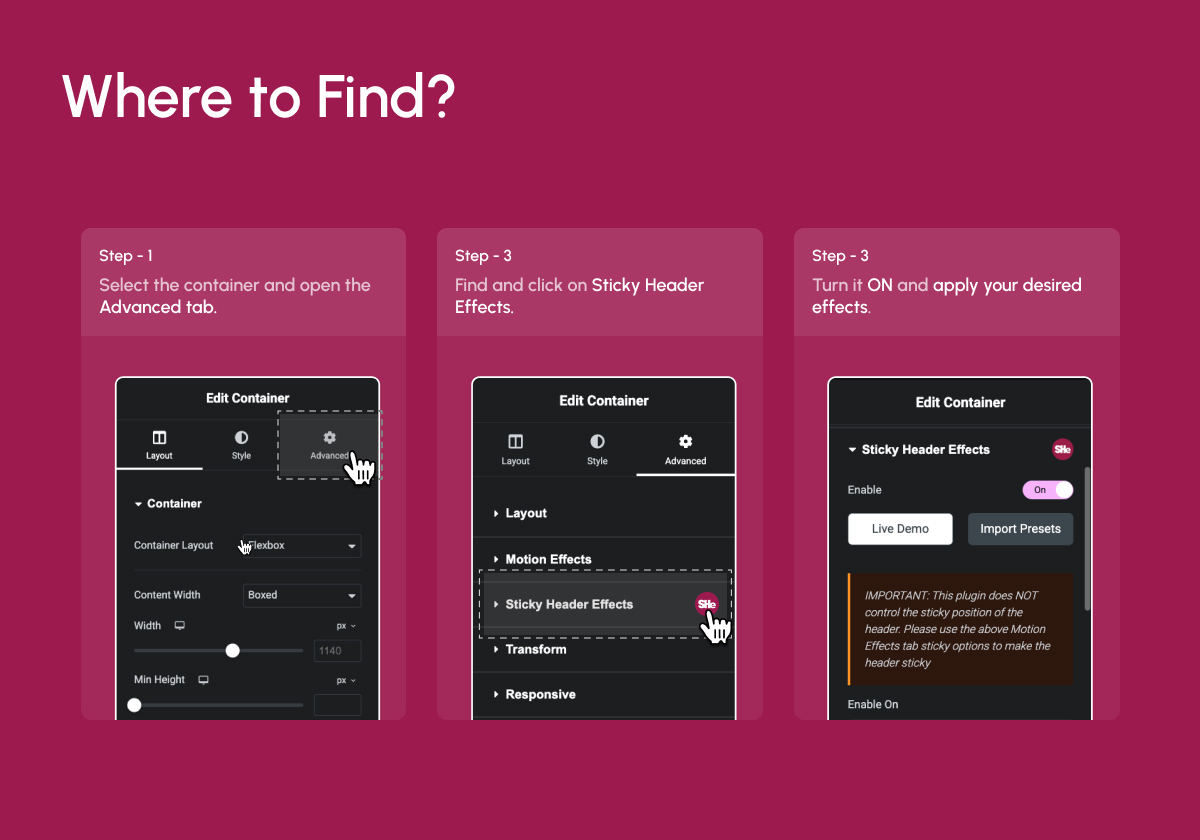
- Open any page with Elementor Select a container or section Go to the Advanced Tab Enable Sticky Header Settings.
FAQ
-
¿Por qué no funciona el efecto «encoger»?
-
¡La cabecera no puede reducirse más que los objetos que contiene!
El efecto «encoger» está limitado por el tamaño del contenido en la sección de cabecera. Como por ejemplo, logotipos, imágenes, menús, widgets, y también todos los rellenos y márgenes de esos elementos. Esto también incluye los rellenos y márgenes de las secciones y columnas en sí mismas.
Para obtener el mejor efecto de «encogimiento», utiliza estos ajustes:
* Establece el relleno superior e inferior en 0px en la sección de cabecera fija, columna y elementos dentro de ella.
* Establece una altura personalizada para el logotipo y otras imágenes (puedes dejar en blanco el ancho para «automático»).
* Establece la altura de la sección de cabecera como «altura mínima» y ajústala a la altura deseada.Básicamente, lo que ocurre es que el contenido de la cabecera es «demasiado alto» para seguir reduciéndose.
-
Do I need Elementor Pro to use this plugin?
-
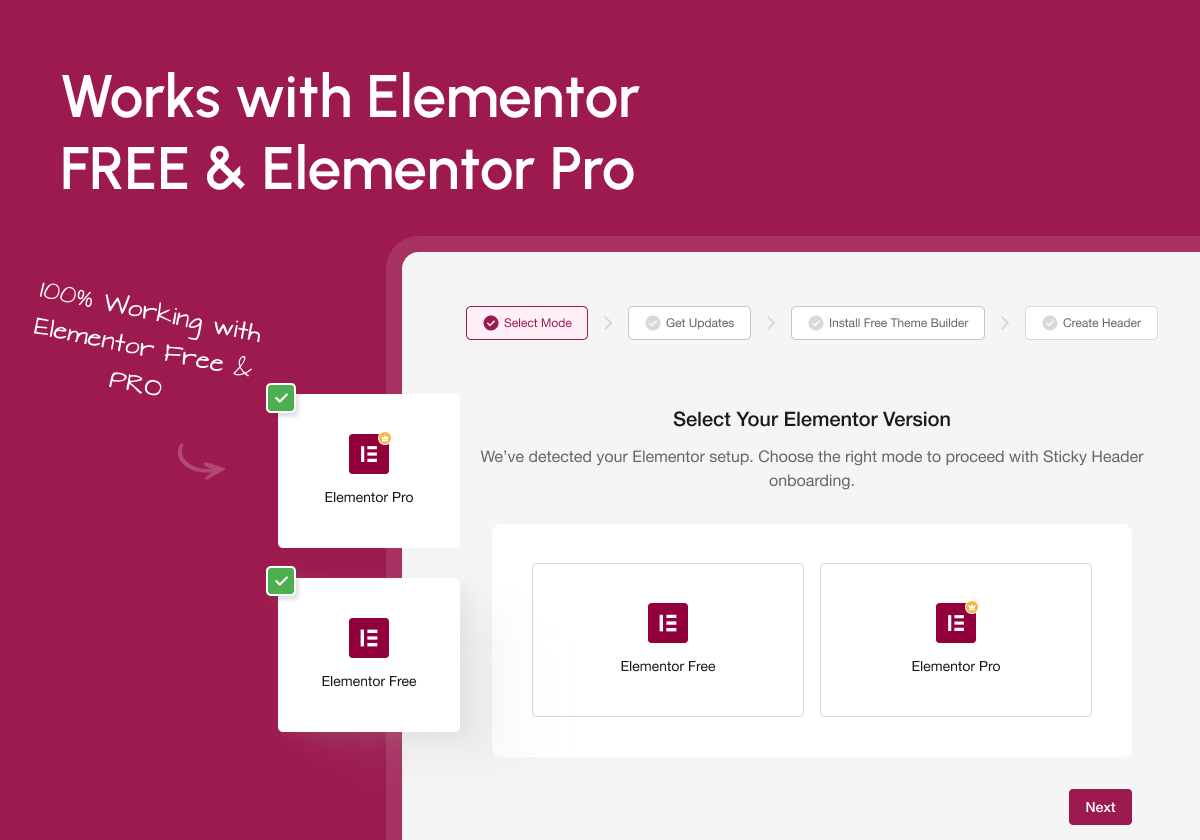
No. This plugin works perfectly with Elementor Free. For navigation menus, you can use the free Nav Menu widget from The Plus Addons for Elementor. You’ll only need Elementor Pro if you’re using Pro Navigation widgets.
-
Does it work with the Elementor Theme Builder?
-
Yes. You’ll find the Sticky Header Effects panel under the Advanced Tab of every Elementor section and container. If you have Elementor Pro, it works on header templates built with the Elementor Pro Theme Builder. On Elementor Free you don’t need Elementor Pro to build a custom header either: Nexter Extension includes a Free Theme Builder for headers, and the same Sticky Header Effects apply to those headers too.
-
¿Es un plugin independiente?
-
No, it requires Elementor Free or Pro. It extends Elementor’s functionality with new header scroll effects.
-
Is there a Pro version of this plugin?
-
Yes. Sticky Header Effects for Elementor Pro is a separate add-on plugin that requires this free plugin to be installed and active. It adds Display Conditions, Sticky Until (boundary control), Reveal animations, Header Replace on scroll, Logo Swap, Sticky Menu Styling, extended Backdrop Filter, Background Image on sticky, Opacity transitions, Logo Styling, and Multi-Sticky coordination. All of the free effects continue to work exactly the same with or without Pro installed.
-
What’s the difference between Sticky Header Effects Pro and Elementor Pro?
-
They’re unrelated products. Elementor Pro is Elementor’s own premium plugin (widgets, theme builder, etc.). Sticky Header Effects for Elementor Pro is our add-on that extends this specific plugin’s sticky header effects, and works with either Elementor Free or Elementor Pro.
-
Where can I find the Sticky Header Effects settings?
-
Inside Elementor Editor Select any container Go to Advanced Tab Scroll to Sticky Header Effects section.
-
Will this plugin work with any WordPress theme?
-
Yes, it works well with most Elementor-optimized themes, including Hello, Nexter, Astra, and more.
-
Will this slow down my website?
-
Not at all. It’s highly optimized for performance and coded lightweight to ensure fast page loads.
-
How can I report security bugs?
-
You can report security bugs through the Patchstack Vulnerability Disclosure Program. The Patchstack team helps validate, triage and handle any security vulnerabilities. Report a security vulnerability.
Reseñas


Colaboradores y desarrolladores
«Sticky Header Effects for Elementor» es un software de código abierto. Las siguientes personas han colaborado con este plugin.
Colaboradores


«Sticky Header Effects for Elementor» está traducido en 9 idiomas. Gracias a los traductores por sus contribuciones.
Traduce «Sticky Header Effects for Elementor» a tu idioma.
¿Interesado en el desarrollo?
Revisa el código , echa un vistazo al repositorio SVN o suscríbete al registro de desarrollo por RSS.
Registro de cambios
2.2.1
- Added: Privacy: Data sharing is off by default. When enabled, shared non-sensitive details help us improve the plugin and build a better experience for users
- Improvement: Privacy: Nothing is shared until you turn it on, and never any personal data
- Improvement: Translation – several dashboard strings that were previously hard-coded can now be translated
- Improvement: Deactivation feedback now works on translated sites, and only sends your email address if you tick the contact box
- Fix: Resolved a reported WordPress.org support issue where some dashboard strings could not be translated
- Fix: Minor Bug Fixes & Performance Improvements
2.2.0
- Added: WordPress Abilities API support for AI-assisted sticky-header demo creation (WordPress 6.9+)
- Added: Pro feature discovery with Live Demo and Read Docs links in the editor
- Added: «Join Community» admin notice
- Improvement: Dashboard UI enhancements
- Improvement: Dashboard input validation and permission handling improved
- Improvement: Preset and WDesignKit popup input and permission handling improved
- Improvement: Admin notice output rendering improved for better compatibility
- Improvement: Plugin/theme scan now runs only on the plugin’s own dashboard screen for faster admin pages
- Improvement: Sticky scroll performance improved with animation-frame throttling
- Improvement: Plugin code quality, PHP 8 compatibility, and translation coverage
- Fix: Sticky Scroll Distance now honors the vh unit and responsive overrides
- Fix: Sticky header no longer hides behind the admin bar at smaller screen widths
- Fix: Removed a broken image reference on the rollback screen
- Fix: Minor Bug Fixes & Performance Improvements
2.1.9
- Maintenance: WordPress 7.0 compatibility update
2.1.8
- Maintenance: WordPress 6.9 compatibility update
2.1.7
- Improvement: UI Related Minor Bug Fixes
2.1.6
- Fixed: Minor Bug Fixes & Performance Improvements
2.1.5
- Fixed: Minor Bug Fixes & Performance Improvements
2.1.4
- Fixed: Minor Bug Fixes & Performance Improvements
2.1.3
- Fixed: Security Patch (Low Security)
2.1.2
- Improvement : WDesignKit 2.0 Compatibility
- Fixed: Minor Bug Fixes & Performance Improvements
2.1.1
- improvement: Header Template Import Process
- Fixed: Minor Bug Fixes & Performance Improvements
2.1.0
- Fixed: Header Resize Issue Fixed
- Fixed: Minor Bug Fixes & Performance Improvements
2.0
- New: Dashboard for better UI/UX
- New: Add Preset Option for the Ready Design
- New: Dashboard : Plugin Rollback Option
- Fixed: Minor Bug Fixes & Performance Improvements
1.7.8
- Fixed: Offset issues on the frontend
- Fixed: Minor Bug Fixes & Performance Improvements
1.7.7
- Fixed: Minor Bug Fixes & Performance Improvements
1.7.6
- Fixed: Offset issues on the frontend
- Fixed: Minor Bug Fixes & Performance Improvements
1.7.5
- Added: Offset Option for Sticky Elements to Control the Distance from the Top With Responsive Support.
- Added: Padding Option to Customize Spacing for Sticky Elements with Responsive Support.
- Added: Width Option to Define the Width of Sticky Elements Dynamically With Responsive Support.
- Fixed: Minor Bug Fixes & Performance Improvements
1.7.4
- Added: Compatibility with Elementor Containers
- Fixed: Minor Bug Fixes & Performance Improvements
1.7.3
- Maintenance: WordPress 6.7 compatibility update
1.7.2
- Corregido: Fallos
1.7.1
- Fixed: Improved method for not overriding elementor sticky settings.
1.7
- Mantenimiento: Actualización de compatibilidad con WordPress 6.5
- Notice: Plugin will only receive minimal support
- Added: Pro features that would have never been released(Disable Fully Transparent Background, Background Type, Custom Menu Toggle Button, Bottom Shadow, Blur Background settings)
1.6.11
- Mantenimiento: Actualización de compatibilidad con WordPress 6.5
1.6.10
- Maintenance: WordPress 6.4 compatibility update
1.6.9
Corregido: Error de Javascript con las secciones
Corregido: Error en el ancho de la cabecera
Retoque: CSS optimizado
1.6.8
Fixed: Shrink logo bug
Fixed: Shrink header bug
Fixed: Transparent header bug
Fixed: All CSS color and size transitions
Added: Compatibility with new elementor «mega» menu
Added: Ability to override logo color change on elements using class «not-logo»
Tweaked: Logo color change optimized so «full color» option no longer overwrites elementor css settings
1.6.7
- Fixed: Transparent header bug
1.6.6
- Fixed: Shrink header bug
- Fixed: Bottom border color and size transitions
- Added: Compatibility with new elementor «mega» menu
- Added: Ability to override logo color change on elements using class «not-logo»
- Tweaked: Logo color change optimized so «full color» option no longer overwrites elementor css settings
1.6.5
- Tweaked: Logo transition CSS for image widget
- Tweaked: Logo color CSS for image widget
- Maintenance: WordPress 6.2 compatibility update
1.6.4
- Fixed: Js bug
- Fixed: Logo color not changing on scroll
- Fixed: CSS for smooth transitions
- Konwn Bugs: Shrink logo/header
1.6.3
- Reverted to 1.5.5 only with container compatibility
1.6.2
- Fixed: Section height bug
1.6.1
- Fixed: Js bug
- Fixed: Container shrink bug
1.6
- Fixed: Shrinking Logo bug
- Fixed: Container support using Elementor free
- Fixed: Logo color change set to none doesn’t remove CSS filter settings
- Added: Disable/enable completely transparent header
- Tweak: Changed logo color settings to be more clear
- Maintenence: Optimized CSS for v2.0
- Maintenence: Optimized JavaScript for v2.0
- Maintenence: Optimized Elementor controls for v2.0
1.5.5
- Fixed: Shrinking Logo bug
- Fixed: Header section top position
- Maintenence: Optimized CSS code
1.5.4
- Fixed: Shrinking Logo bug
1.5.3
- Fixed: Gap above mobile header bug
1.5.2
- Fixed: Gap above header bug
1.5.1
- Fixed: WordPress admin bar bug
1.5
- Fixed: Gap above header bug
1.4.9
- Added: Compatibility with Elementor Containers
- Maintenance: WordPress 6.0 compatibility update
1.4.8
- Maintenance: WordPress 5.9 compatibility update
1.4.7
- Fixed: Misc Bugs
1.4.6
- Fixed: Hide header bug
1.4.5
- Fixed: WP admin bar bug
1.4.4
- Maintenance: WordPress 5.8 compatibility update
- Fixed: Header width bug
- Update: Better responsive Worspress admin bar handling
1.4.3
- Fixed: Full color logo after scroll bug
1.4.2
- Corregido: Fallos
1.4.1
- Fixed: Gap above header bug
1.4.0
- Added: WordPress 5.5 compatibility
- Added: Elementor 3 compatibility
- Added: Hide on scroll down feature
- Added: Blur background feature
- Added: Before and after scrolling logo color options
- Fixed: Opera browser hash links not activating scrolling effects
- Fixed: Editor handle bug
- Fixed: All labels and descriptions to help with user operation
- Fixed: Various code optimizations
- Fixed: Transparent on mobile bug
- Fixed: Stretched section broke transparent header
1.3.2
- Fixed: Transition CSS
1.3.1
- Corregido: Fallos
1.3.0
- Added: Shrink Logo feature
1.2.3
- Fixed: Hook on the new Elementor Pro 2.4.7 version
1.2.2
- Removed: Stretched section condition
1.2.1
- Added: Compatibility with the new Elementor 2.1.1 version
- Fixed: JavaScript error
1.2.0
- Removed: Sticky Header feature(Elementor fixed theirs)
- Added: Transparent header feature
- Added: Compatibility with the new Elementor 2.1 version
- Added: Change javascript to external file
- Corregido: Fallos
1.1.2
- Corregido: Fallos
1.1.1
- Fixed: Bug where section didn’t move to top of page
1.1.0
- Añadido: Característica de cabecera fija
- Added: Bottom border feature
- Fixed: Bugs with tablet and mobile responsive modes
- Fixed: Padding issues when using the «shrink» effect
1.0.0
- Versión estable inicial